
Build and Kill Zombies Auto Farm and Auto Roll
What each GUI toggle spends, and which ones delete a wallet faster than a walker.
The common Build and Kill Zombies overlay is a dark panel with a purple header and green toggle rows. Tabs: FARM, AUTO BUY, BOSS, REWARDS, VISUALS. This page is a label decoder so you can see a screenshot and know what would have happened if you had pressed it. It is not a setup wizard.
Manual farming is on how to farm cash. The parent index is the scripts hub.
FARM tab
AUTO ZOMBIE FARM tries to Drive and ram without input. It needs a kart that already has a nose. If you enable it on the starter buggy you will watch Distance sit at 0 while the GUI “farms” the pad. Save a roller first.
AUTO TURBO keeps turbo applied. Useful only if you own turbo. Harmless-looking, expensive if the GUI buys turbo you cannot afford.
AUTO BUY tab
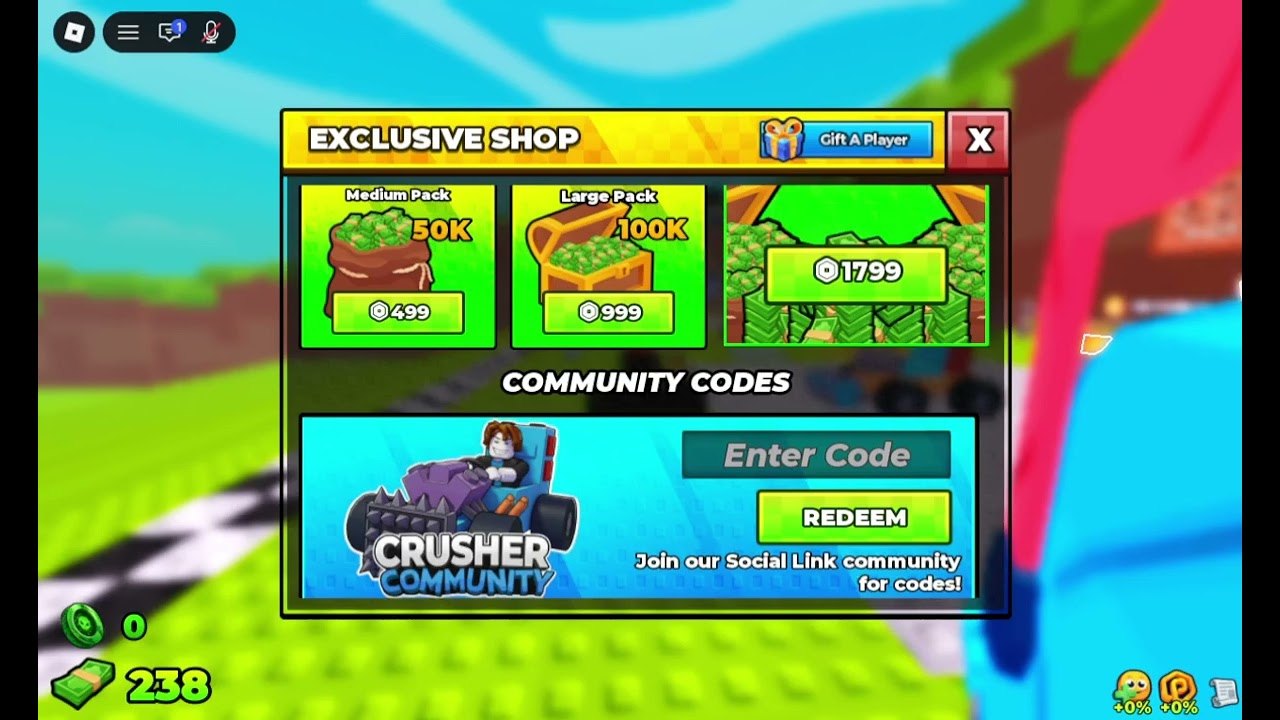
This is the dangerous one. It can buy Car Parts, Skills, and Robux-adjacent packs depending on how the author wired it. If Exclusive Shop is open on a 999 Robux row, do not combine this tab with a confused click. Prefer manual redeem.
Rolls
AUTO ROLL SUPPORTS and AUTO ROLL CAR PARTS spend cash on gacha. Enable rolls only after the weapons tier nose exists. Rolling Supports at 238 cash (a real lobby screenshot number) is how you own nothing.
BOSS tab
AUTO BOSS tries to play the NEXT BOSS IN spawn. The King 1x1x1x1 badge has a low win rate even for humans. A GUI will not magically fix a 92% brick. Be on a boss Save from the builds tier first.
REWARDS tab
Claims crates and sometimes codes. Fine as a reminder, bad as a blinder — you will not notice an expired string. Check the Codes Hub by eye.
VISUALS tab
ESP-style extras. They do not print cash. They do increase detection surface. Skip them if you only wanted farm.
A sane (still risky) order if you insist
- Manual Save of an S-tier roller.
- FARM auto zombie only.
- Leave AUTO BUY off.
- Leave rolls off until cash is past a full Car Parts purchase.
- Disable everything before a King attempt and Drive yourself with co-op.
Why we will not paste a loader here
Loaders rotate, get key-gated, and get people banned. Feature names stay; payloads go stale. If you copy a paste from a video description, you are trusting that uploader, not this wiki.
Online co-op still works while a GUI runs. Your four friends may not appreciate sharing a pad with an auto-rammer. Say so or hop.
After any update, assume every toggle is broken. That is the usual post-patch state.
Manual equivalent of each toggle
If you never install a GUI, you can still copy the intent:
- Zombie farm → short Distance loops from how to farm cash.
- Turbo → buy the part, watch boost pips leave +0%.
- Roll Car Parts → press the stand yourself after the nose exists.
- Roll Supports → wait until Loadout A on the build planner is done.
- Auto skill → one matching node on skills.
- Auto boss → be on the strip at zero with a boss Save, plus co-op.
- Rewards → Exclusive Shop Redeem plus FREE CHEST plus group chest.
That list is slower and keeps the account. The GUI is faster and spends your King badge if Roblox notices. Choose with that trade in mind, not with a YouTube thumbnail that says AUTO FARM in red.
Frequently Asked Questions
Quick answers for lobby, Drive, codes, and boss timers.
Which toggle prints cash?
AUTO ZOMBIE FARM, and only if the kart already has a working nose.
Should AUTO BUY stay on?
No. It can spend Robux packs and panic-roll Supports.
Does AUTO BOSS beat King 1x1x1x1?
Not reliably. The badge win rate is low even for manual co-op.